Showing posts with label twitter. Show all posts

Friday, May 28, 2010

Swamped by the semester

Wow, where did February, March, and April go! I checked my notes and found I had started a couple new blog posts but never finished. That's what happens when you teach four writing classes a semester!


Now that I've had some time to decompress from the semester, here are some highlights for the middle part of the semester:

Voice

This semester, I've required students to use voice in order to share drafts of essays for composition courses and drafts of poems/stories for the creative writing course.

I hope for most writing instructors, the reasoning is self evident: having students hear their writing helps them to discover aspects of their expression that they will not realize when simply reading silently. The value is mostly for the writer, though it can also be beneficial for the listeners/respondents.

Having an oral reading component in online writing classes has always been problematic. In the early years of teaching writing online, I didn't even try. I considered it as one of the limitations of the delivery method that had to be abandoned. A few years ago, though, around the time when I began to teach creative writing online, I decided I had to have an audio component. Students who write poems and stories had to hear their writing. So I began to use WIMBA, which was supported by the college and accessible through Angel LMS. I would have students read and record their drafts and then asked group members to listen while reading before they responded.

It was all done asynchronously. WIMBA does have a synchronous voice chat, but it is rather clunky, and the archiving it does of mixing text and audio clips is hard to follow. So I stuck with asynchronous posting of oral drafts. I could determine whether or not students recorded drafts, and score accordingly. I couldn't really do so with the listening part. Participation over the years was never one hundred percent (little is!).

SL voice seemed to be a better solution. Students could read drafts, and share text copies in notecards. They could take turns reading their drafts, and elicit discussion, just as I would have them do in a f2f class. And the sense of space and presence would be superior to the bodiless voices of WIMBA or even something some students are more familiar with, Skype.

When it worked, it was great. Several students in their reflective essays at the end of the semester mentioned voluntarily how much they found voice presentation of drafts helpful. But SL voice proved to be buggy. Too often students couldn't get it to work, and one student never did even though she was pretty computer savvy (I suspect network congestion on her end). I think next semester I'll have them use Skype as a back up.

Which brings me to two other issues: too many apps and tech help inworld.

Too many apps

I've found that students get app overload pretty quickly. I lost a scad of students because they didn't read the schedule book concerning using SL, and the computer needs to take this course. Some dropped, or stopped working, right away. Those who stuck it out either were pretty tech savvy or very tenacious. But even among those who stayed, I could tell that having to juggle Angel LMS (including uploading/downloading files, discussion forums, reading web page assignments, looking up grades), Word or OpenOffice, Second Life, Twitter, AIM, and Diigo became difficult, especially for those who were doing online classes the first time. Next semester, I think I'll drop Twitter, even though I found its use quite valuable for quick communication and sharing between students and with me for those who tweeted frequently. However, I found too many ignoring it even though keeping a Twitter log while working on their essays was required.

Also, I plan to use Skype instead of AIM so that I'll have a back up voice chat should SL voice not work, and a back up text IM all in the same app. And for the first semester comp, I may also drop Diigo, though, since I don't use it until later in the semester, I may keep depending on how the group's competency pans out.

The point is that I have to juggle between making a rich online class experience and making it too opaque for weak tech users. As I've mentioned before, I will always lean towards a rich experience, and chance losing students, but I don't want to make it accessible for only the highly proficient tech user. Those with a moderate familiarity with the web and computer use should have no inordinate problem with the course, as long as they set aside enough time to do the work!

Tech help in world

The other issue is finding tech help in world. Students at LCC can get help with software and applications supported by the college, such as Angel (well, usually--they've not been very helpful with WIMBA!). But not with apps that are not supported currently by the college, such as SL or Twitter. Therefore, I have to do the heavy lifting of helping students solve technical problems, which I've done for many years. But I'm not available at all times, nor am I as technologically proficient with VW problems as I'd like to be (though I'm learning!). So I really need to find some places/people that students can contact when having problems in world.

This is really essential. Whether or not SL is effective as a place of learning for online students is directly affected by whether or not they can have a relatively trouble-free experience while in world. Problems will arise, but they need to be solved. Yes, those who try to do SL with underpowered machines or on weak home networks (wireless or Ethernet) or without purchasing enough RAM or a headset will find SL clunky and frustrating. But that shouldn't be the case for those with the right equipment/connection. Too often it is.

Saturday, June 27, 2009

Twitter, Iran, and Michael Jackson

On June 25, I was online and a tweet flashed across Tweetdeck. "Michael Jackson dead?" Soon other tweets popped up about Jackson being rushed to the hospital in cardiac arrest, and then soon after that he had died.

We all know what happened. But what I found interesting about that afternoon is that the announcement of his death spread all over the world in a matter of minutes, and an hour before major news outlets confirmed the same. I went onto Twittervision and watched tweets about Jackson, and almost only tweets about Jackson, flashing all over the world--from Kansas, Cantoon, Portugal, Puerto Rico, Phillippines, Belgium, Columbia. Searching on Twitter search, the app every few minutes would announce thousands of new tweets on Michael Jackson.

The month of June, as well, found the heavy use of Twitter during the Iranian revolution, with protestors tweeting about what was happening in Iran, sending out information that was unavailable from major news sources, and even spreading pictures and video around the world that the Iranian government did not want out, such as the death of Neda.


So what does this all mean?

Various blogs and newscasts call it Twitter "coming of age" which is a little silly. But what is intriguing is that we're seeing an explosion of a use for the microblog as a democratization of news. Ellen Goodman suggested that Twitter's use, especially of the video shown above, is this generation's AP photo of the young Vietnamese girl burned by napalm. Where in essence the populace "gets it," grasping the horror of despotic rule crashing upon a people who desire only to live in peace.

Makes sense for the Iranian revolution. But what about Michael Jackson, a pop star who crowned himself the king of pop? I was just struck at the worldwide reaction to his death. Watching people from all over the globe at the same time offering up expressions of grief for the pop star's death was both chilling and exhilirating. Of course, part of it is the suddenness and at an age where people aren't supposed to just drop dead. This especially hits home for those of us in our early fifties! And of a pop star who in his latter years has been surrounded by controversy, from mask-like plastic surgery to allegations of sleeping with little boys. In other words, it's like a global train wreck where hundreds of thousands online are careening their necks to see a twist of steel and flame.

But it seems more so that the worldwide outpouring of concern and grief comes more from his art--music, dance, video--from the 70s and 80s, having the highest selling album ever. His music played a part in the lives of millions of people all over the world. It reminds me of John Lennon's murder--the shock and grief felt by my generation was palpable across the land, through the media available at the time.

But of course, the outpouring of grief is also the overriding response to the Iranian Twitter phenomenon. When the Neda video was tweeted, all over the world people were sobbing collectively for the senseless murder by a clearly brutal regime.

Empathy. It seems that Web 2.0 apps like Twitter and Facebook have made such collective emotional outpourings much quicker and more visible.

Friday, May 29, 2009

End of semester musings

Well, it's a couple weeks out from the end of the semester (actually a month out by the time I finished this blog posting!), and two long distance graduations completed (Sarasota, FL for Jonathan graduating from Ringling School of Art and Design and Berkeley, CA for Rebekah graduating from Graduate Theological Union/Pacific School of Religion--congratulations, kids!!!!).

I found that the use of Twitter and Diigo by and large were successful. Twitter gave students opportunities to see what each other was doing, helped them keep on task, and gave them opportunity to receive quick responses from me. I think for next semester, I'll need to push more frequent and thoughtful tweets earlier, if that's possible. And to use gadgets, widgets or standalone desktop apps to have Twitter available all the time. Too often students would disappear for days, even weeks, at a time from Twitter with the expression that they forgot about it. But definitely worth using again.

Diigo also seemed beneficial. It is quite clunky with library databases, so I need to work on creating more quickie tutorials on doing so for next semester. Also, I've yet really to see the value of groups in Diigo for classes. I'll have to explore that more fully. But the ability to have bookmarks that include highlighted material and sticky notes (though I didn't see the latter used as much) and accessible on any computer was quite an improvement to what students have been using--from printouts to emailed articles.

So fall semester--I'll be using both, though I'll need to adjust based on the class. WRIT 121 is not as research intensive, though I still think that getting students to search for articles and read before each essay will make Diigo helpful. And I'll have to figure out how to juggle them with Second Life (at least for one class) without overwhelming them.


Wednesday, March 11, 2009

A quickie on Twitter

A couple of observations:

1. Students helping each other after a chat. I have students chat in Angel (or AIM if the LMS goes down) in small groups, usually once a week. I'm beginning to find students extending the chat into Twitter, giving further suggestions about issues and sources a day or two later.

2. By essay 3, students are really beginning to interact, asking questions, giving advice, commiserating, celebrating--particularly right before spring break.

3. From Twitter: hrheingold--using with students for the first time this semester: a handful hate it and don't get it. I've found much the same. However, I'm also seeing some who were resistant beginning to become more comfortable with its use. I think, though, next semester, I might want to find ways to encourage students to use gadgets, widgets or a standalone viewer so that they see Twitter more often. I wonder if there's a widget for Angel?

Wednesday, February 04, 2009

Twitter and Diigo and AIM, oh my!

A month into the new semester. In my comp II classes, I introduced the use of Twitter and Diigo. I started with Twitter in the very first week, as a very simple assignment. Sign up, log in, and tweet to me, "@danholt, [student name] in WRIT 132 is all set to use Twitter." Here's a link to the assignment. Among the 50+ students I had, only one had been using Twitter previously, so for most all of them, it was a new experience.

I got a range of reactions, from "Wow, this is cool we're using Twitter" to "Why in the world are we using Twitter?" And several had difficulty with tweeting as I requested, so that class members would be able to search easily for class members to follow. Finally, a good number simply didn't do it.

Not unusual. Usually students who have some online experience, especially with online classes, have no problem with jumping in and exploring a new app. However, with students who have never taken an online class before, or may have but are overextended--6 classes, 40 hour a week job, part time job, rearing children on his or her own (and if you think I'm exaggerating, think again!!!)--being able to take the time to follow instructions carefully often hinders the student.

Of course, the problem with instructions and certain populations of students has been a challenge in teaching online classes since I started in 1997. Granted, early attempts left lots of holes since I was unfamiliar with how to translate the give and take of guiding students through an assignment in an online world. But now, especially from students who've taken a number of online classes, I receive positive comments, relieved they can follow and implement the tasks I lay out before them.

But I'm noticing with this semester, as I require students to do Angel discussion forums, chat, AIM, audio essay submissions, Diigo, Twitter, that I'm pushing many to the edge, very like what we had with students first trying online education in the late 90s. 

Add to that the fact that Angel has been buggy--students unable to log in at one point a couple weeks into the semester because of problems with communication between Angel and Banner. I know of at least three students who threw up their hands and dropped because of the log in problems. Furthermore, the discussion forums have been squirrelly, working with one browser, but not another, problems with uploading files, even emails sent through the discussion forum appearing as a single word: null.

Even so, my goal of offering a rich environment for a writing community, seems to be working for many--Twitter still has naysayers ("still can't see the value in doing this!") but some interesting reactions. A couple students have mentioned that they really like using Twitter because it helps them to stay on track by seeing what class members are doing.

And Diigo, though rather clunky with library online databases, has been a hit with most students. 

But even so, I had to drop a scad of students because of non-participation. So, should I make classes rich in applications to benefit those who have some experience with online classes and who devote appropriate amounts of time to the work, or should I make it easy and spare, so students who have little experience with online classes and/or have little time to devote to the class can succeed? 

I guess it's simply not in my nature to do much capitulation toward the latter.


Friday, December 05, 2008

Web 2.0 assignments

I've been working on possible assignments to use next semester with Web 2.0 applications, focusing so far on Composition II, using Twitter, Diigo and Pageflakes.

The first two are part of what I hope to have students do in the spring on their first essay. Twitter will be used as a research/writing log, where students will be asked to jot down "What are you doing?" concerning their exploration, research, reading, writing of the first essay. I expect to make it a running assignment throughout the semester. I'm hoping that class members will begin asking questions and helping each other a bit more readily than has been the case with standard Angel fare.

I've also been writing instructions on how to set up the two programs, which take a good number of steps. There are some video instructions on setting up Twitter and Diigo:


Both of the videos cover more features than I do in my instructions, and especially with the Diigo video, do so quite quickly. But I figure that students can have them as resources to review features they might want to add later. Or that I may want to expand upon as the semester progresses.

I've also been playing with Pageflakes, an aggregator that is like iGoogle, but allows you to create pagecasts or public pages. What I would like to create is an essay resource page, a one-stop aggregator that students can use to work on their essays. I wanted to include access to the essay assignment page but soon found that I'd need to reformat in order to read easily in the widget.

Pageflakes is pretty easy to use, though you need time for trial and error. One aspect of the application that is announced often on the site is that you can easily take a widget someone else is using and put it on your page. Just click on the faint envelope in the corner (just above the cursor arrow on the top right):


The only problem is, no instruction on what to do with the html that is offered. I finally figured out how to add it to one of the widgets, but it would have been nice to have been told!

Also, at first I thought I'd have a page for each essay, but I soon realized that would be impractical, redundant and cluttered. So I figure I'll change the essay widget when we change essay assignments. And I'll have one page available for both WRIT 122 and WRIT 132, with separate essay assignment widgets to choose from.

I was also going to talk about some educational experiences and discussions I had this week in SL this week, but I think I'll leave that for next week.

Tuesday, September 30, 2008

Aggregators and Mashups

As my overarching schedule suggests, October will be focused on playing with Second Life and other Web 2.0 applications. Of course, I've actually been playing with apps all along, such as this blog, social bookmark apps delicious and diigo, microblogging with Twitter, and just yesterday, starting up Facebook.

So, I'll also be mixing this month of exploration with more research.

I've been looking at aggregators and mashups lately. I at first saw little difference between the two, but I found a definition at Academic Commons that suggests aggregators are a sub category of mashups:

1. Mashups by integration are the ones that capture our imagination because they involve true "crossing." Data from one resource becomes the input for processing by another. Geotags from Flickr, for example, can serve as the grist for a Google Map. Mashups by integration typically require considerable time and expertise to develop. They are the domain of developers who know how to work with an application programming interface (API). These are the mashups that make it onto the "Programmable Web" mashup blog (or into the roster for a NERCOMP SIG).

2. Mashups by aggregation, on the other hand, simply juxtapose information from disparate sources. One should think here of applications such as MyYahoo, NetVibes , PageFlakes, iGoogle, and others. Individual users assemble collections of "feeds" whose contents then live side by side within the aggregator. Even if the "feeds" are otherwise unaware of one another, the act of juxtaposition is already a creative one. Mashups by integration require little expertise to create.

Seems to me also that aggregators are of two categories--those for personal use, such as iGoogle, and those for publication, which might be used in a course. I consequently plan to play around with NetVibes and PageFlakes to see what I can wrestle from them. A good example of what I'm talking about is an aggregation that Mark Marino at USC has put together for his writing course using PageFlakes: http://www.pageflakes.com/markcmarino/23536077.

Mashups by integration seem to need more expertise to create, something I probably will not be able to gather this semester. However, there are some intriguing uses of mashups. For example, twittervision and flickrvision combine Google maps and Twitter/Flickr to show what users are posting all over the world. At one level, real time wasters, but on another, a fascinating way to get a sense of what people are doing and thinking at any given time. I was watching twittervision when AIG was crashing and burning, and it was really intriguing to see the rising concern being expressed all over the world. In fact, most mashups in my quick perusal focus on images, video and maps. I could see, and hope to explore sometime soon, the use of mashups in a film class, where one could bring photos, clips and locations to one place after typing in a movie title from imdb.com.

Another mashup that looks intriguing, and might be something to pursue with student projects, especially if the manipulation of media images is valued, is Remix America, where users can put together mashups of videos to comment on current events with tools provided by the service.

Here's an example:

Kaltura

Seems like this could be a lot of fun for students and a way to build multimedia literacy.

Thursday, September 25, 2008

Second Life and Twitter

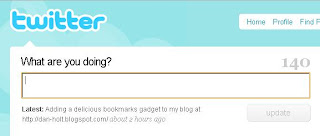
I've been researching the two ends of the social networking spectrum this week. On one end is the one-note wonder of Twitter, a form of microblogging that does one thing--allows users to broadcast their response to one single question, "What are you doing?" And in 140 characters or less.


On the other end is Second Life, the 3D immersive world where users can explore an online environment with an avatar, like a video game.


(from Oakton Community College web site)

I've been playing with Twitter the last few weeks. As is mentioned by several who try to explain Twitter, most don't get it at first: who cares what you're doing, or what I'm doing. And each tweet (post onto Twitter) often does seem inconsequential. But by watching the stream of tweets over a period of time, one develops a sixth sense about one's friends, as Clive Thompson at Wired puts it. Here's an interesting metaphor he uses:

"It's like proprioception, your body's ability to know where your limbs are. That subliminal sense of orientation is crucial for coordination: It keeps you from accidentally bumping into objects, and it makes possible amazing feats of balance and dexterity.

Twitter and other constant-contact media create social proprioception. They give a group of people a sense of itself, making possible weird, fascinating feats of coordination."

Also, there are a couple of Twitter tools that are fascinating: Twittervision, which allows you to see what people are tweeting all over the world, and Twitter search, which allows you to see what people are tweeting about a particular subject right now. If you want an active search right now, just type in Sarah Palin!

Education-wise, I haven't really wrapped my head around how I might use Twitter, though I did just think of a way to use Twitter search, to see if an issue that a student might want to write about is being discussed in our society right now. And there are a number of suggestions posted on a couple blogs: AcademHack and and Web 2.0 Teaching Tools that I'll likely explore more fully later.

Second Life (SL) is much more complex, of course, and central to the issue of online education since it creates a virtual world within which to operate, well beyond what course management software (CMS) does, as I've mentioned before. It has the potential to create a sense of place and embodiment that CMS's cannot even approach. There is a scad of stuff online about education in SL: Second Life Education or SLED has an official Linden Labs wiki of educational resources. And Angel has their own island where faculty can go to explore the use of teaching in a virtual world.

I watched with particular interest a lecture given in SL at a conference about education by Sarah Robbins, an advocate for SL learning for the last couple years. She argues that the use of SL can enhance student engagement and hence foster deeper learning and better retention than what takes place in a typical CMS online class. I've had a suspicion for a number of years that a more immersive, less desk-top, environment would do so. I had pursued the possibility of using MOOs in online classes to enhance a sense of there-ness, but always found the learning curve too steep to walk students through for a completely online class.

So in October, I expect to spend quite a bit of time in SL, both for further research--I've found a good number of sources are "in-world"--and to see if I find the learning curve doable.

Also, I'd really like to see how community colleges do this. Robbins works at the university level, speaks with and meets each student in SL before they can register, advertises the class as an SL online course, and hence can require a certain level of computer equipment, especially the need for high speed Internet. Also, she in essence teaches the class synchronously. In other words, students are required to show up two nights a week and participate in class, just as they would in f2f.

Obviously, many CCs don't have quite the flexibility she notes. I do, though, think that our administration would be open to some experimentation, especially if it's linked to engagement and retention. However, our institution's disdain for synchronous online learning would have to be overcome. Also, Robbins suggests that an instructor would have to require SL in order for it to work. If you make applications that are central to the activities of an online class optional, they will not be used. I'm curious how CCs deal with requiring higher end equipment and plan to explore more fully community colleges and community college groups that use/promote the use of SL.